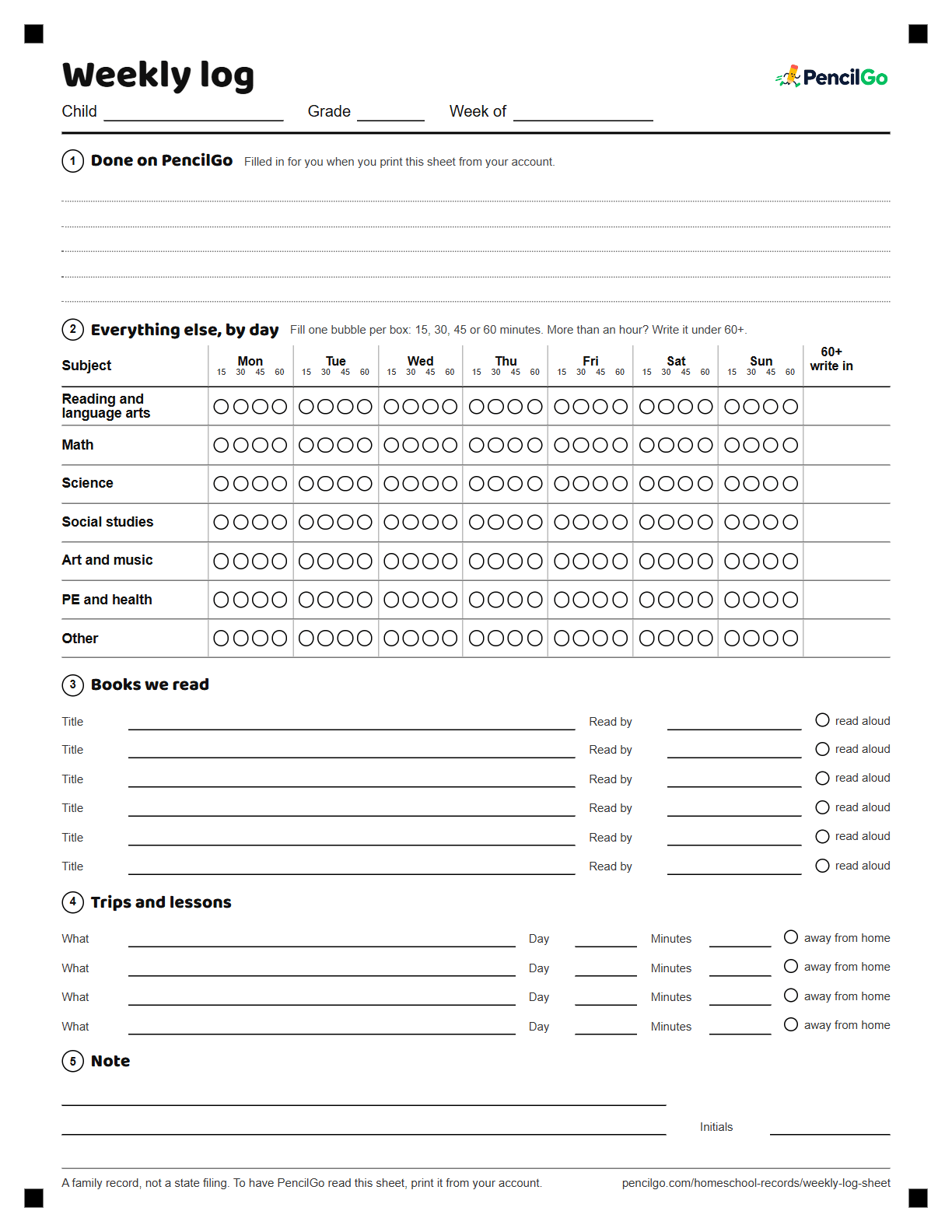
One page a week for read-alouds, field trips, piano and everything that is not a worksheet. Tick the boxes in pencil and file it, or scan it and let PencilGo add it to the record.
Updated for 2026-27 · Last checked October 30, 2026
The blank sheet as it prints: US Letter, black ink
What’s on the sheet
Done on PencilGo.The sheets your child finished this week. Filled in for you when you print from your account, and blank on this free version.
Everything else, by day.A grid of subjects by day. Fill one bubble per box for 15, 30, 45 or 60 minutes, and write anything longer under 60+.
Books we read.Six lines for titles, who read them, and a tick for read-alouds. A running reading list is the record some states ask for.
Trips and lessons.What you did, which day, how many minutes, and a tick for away from home.
Note.Two lines and your initials.
The sheet prints on one US Letter page in black ink. The grid uses bubbles because they are quick to fill and easy to read back, and the lines are for titles and trips.
How a week looks
Monday is a math sheet and a read-aloud: one bubble of 15 minutes in Math, two bubbles in Reading, and the book’s title in section 3. On Wednesday there is a piano lesson, so 30 minutes goes in Art and music. Friday is a trip to the library, which goes in Trips and lessons with a tick for away from home. On Sunday you glance over the page and put your initials at the bottom. That is the whole job, a few minutes at the end of the week.
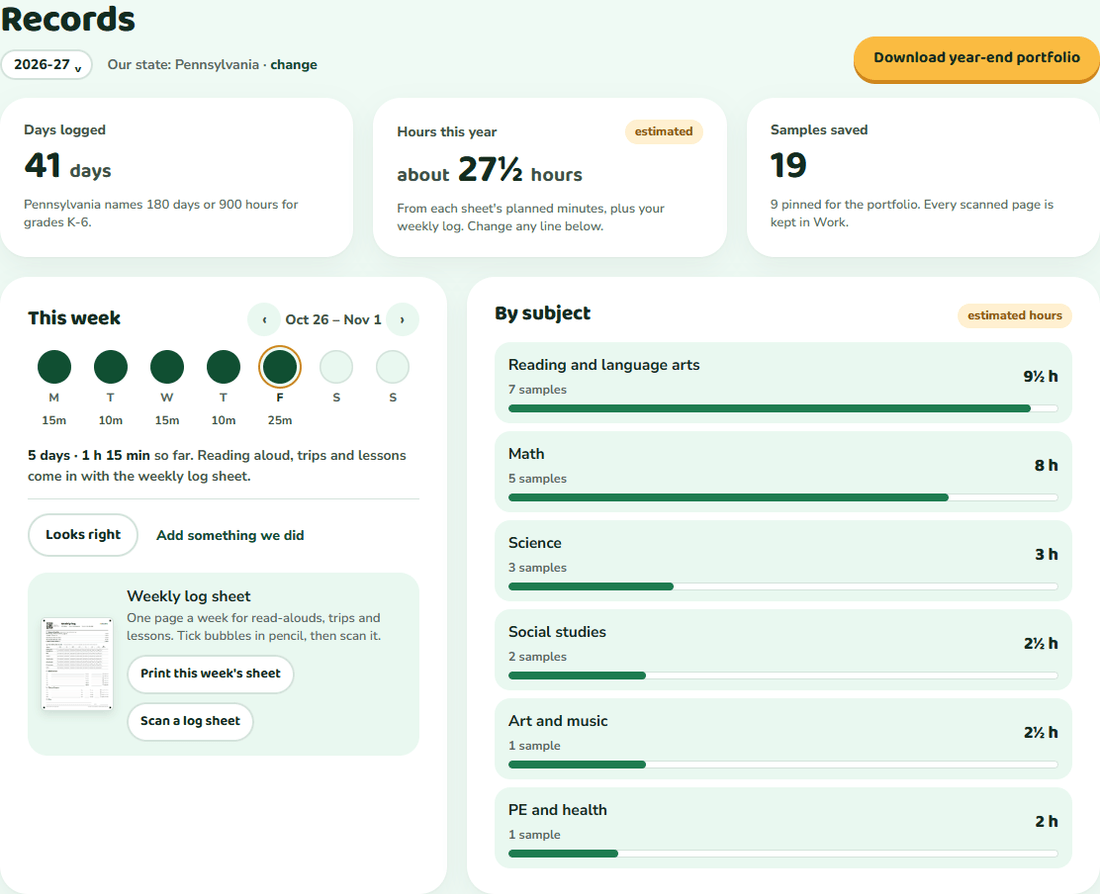
If your child works on PencilGo sheets, print the weekly log from your account. It comes with a code and the week’s scanned sheets already listed. Tick the rest in pencil and scan it with the other sheets. PencilGo reads the ticks, shows you each entry, and adds them to your child’s record after you confirm. You can fix any line.
To have PencilGo read it, print it from your account. This free copy has no code.
Your state decides. Many families count read-alouds, field trips, music lessons and PE alongside worksheets when it was real learning. This sheet gives each of them a place, so you can add them up the way your state asks. See what each state asks for.
Do I need to log every day?
No. Fill in what happened, even if it is only three days. A week with a few honest boxes ticked is more useful than a week rebuilt from memory in June.
How do I log a field trip?
Write it in the Trips and lessons section: what you did, the day, about how many minutes, and tick the box if it happened away from home. The reading list, the trips list and the minutes grid are all on the one page.
Can I use it without PencilGo?
Yes. This is a free PDF with no account. Print it, fill it in, and file it with your child’s work.
Do I scan it every week?
If you use PencilGo, yes: scan it with your other sheets and it is added to your child’s record. To have PencilGo read the sheet, print it from your account, because that version carries a code that says whose week it is.
Print. Scan. The record fills itself.
Print a sheet, your child works in pencil, and you scan it when it’s done. PencilGo marks it, picks the next sheet and keeps the record. Free, about five minutes a day, and your child never touches a screen.